CI/CD Best Practices: A Practical Guide for Engineering Teams
Practical CI/CD best practices for teams that want to ship more often with fewer incidents, covering pipeline design, testing, security, releases and the metrics that matter.

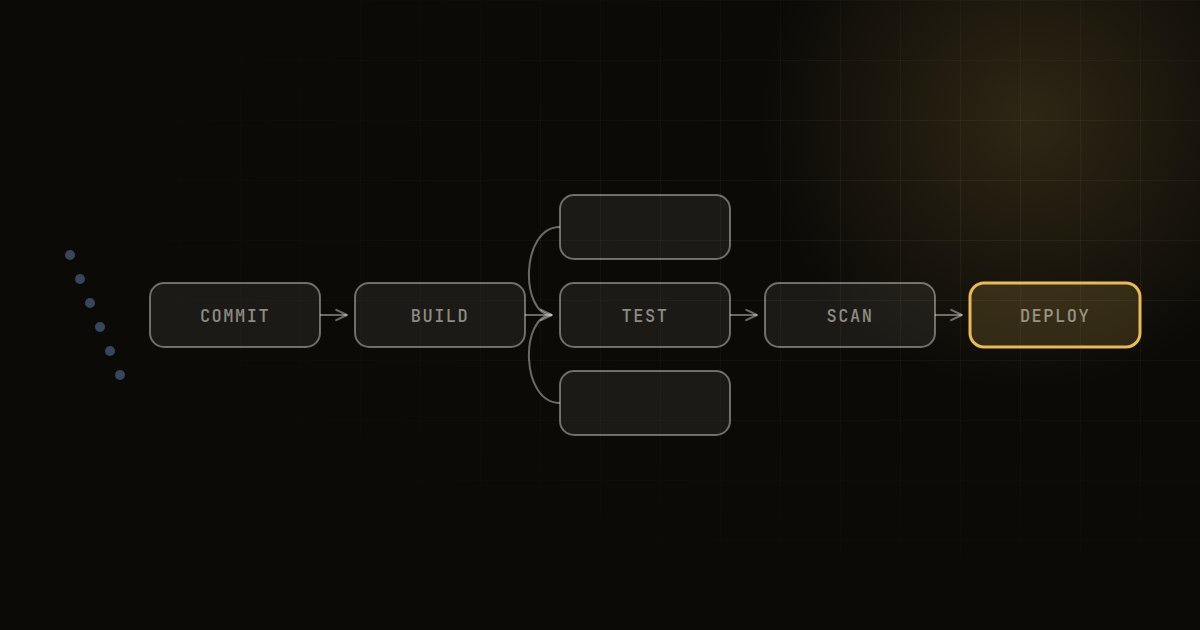
The most important CI/CD best practices are: merge small changes to a shared main branch often, run fast automated tests on every commit, build an artefact once and promote it through environments, define infrastructure and pipelines as code, scan for security issues early, and deploy with progressive rollouts that can be rolled back in minutes.
Continuous integration and continuous delivery are not about owning a particular tool. They are about making releases boring: small, frequent, automated and reversible. The practices below are what we look for when reviewing a team's delivery pipeline, whether it runs on GitHub Actions, GitLab CI, Jenkins, Azure DevOps or a cloud-native service.
CI vs CD: a quick definition
Continuous integration (CI) means every developer merges code into a shared branch frequently, at least daily, and each merge triggers an automated build and test run. The goal is to catch integration problems within minutes, not at the end of a sprint.
Continuous delivery (CD) means every change that passes the pipeline is in a releasable state and can be deployed to production at the push of a button. Continuous deployment goes one step further and releases every passing change automatically. Most regulated organisations aim for continuous delivery with an approval step, which is perfectly reasonable.
CI/CD best practices for source control and branching
- Use trunk-based development or short-lived branches. Feature branches that live for weeks create painful merges. Aim for branches that merge within a day or two.
- Protect the main branch. Require pull request review and a green pipeline before merging, and block direct pushes.
- Keep changes small. Small pull requests are reviewed properly, tested faster and are easier to roll back.
- Use feature flags to merge unfinished work safely, separating deployment from release.
- Version everything: application code, pipeline definitions, infrastructure as code, database migrations and configuration.
Designing the pipeline
A well-structured pipeline gives developers fast feedback and gives the business confidence. A typical sequence looks like this:
| Stage | Purpose | Target duration (rough guide) |
|---|---|---|
| Lint and static checks | Catch formatting, obvious bugs and code smells | Under a minute or two |
| Unit tests | Verify logic in isolation | A few minutes |
| Build and package | Produce one immutable artefact (container image, package) | A few minutes |
| Security scans | Dependencies, secrets, container image, static analysis | Runs in parallel with tests |
| Integration and contract tests | Check services work together | Minutes, not hours |
| Deploy to staging | Same artefact, production-like environment | Automated |
| End-to-end and smoke tests | Validate critical user journeys | Keep the suite small |
| Production deploy | Progressive rollout with monitoring | Automated or one-click |
The durations are rules of thumb, not standards. As a rough guide, if developers wait much more than ten to fifteen minutes for CI feedback, they start batching changes and context switching, which undermines the whole point.
Build once, promote everywhere
Build the artefact a single time, tag it with the commit hash, and promote the same artefact through test, staging and production. Rebuilding for each environment means production runs something slightly different from what you tested. Environment differences belong in configuration and secrets, not in the build.
Make pipelines fast
- Cache dependencies and build layers.
- Run independent jobs in parallel.
- Split slow test suites and run only affected tests on pull requests where your tooling supports it.
- Use ephemeral, autoscaling runners, ideally on spot capacity, to avoid queues. Our cloud cost optimisation checklist covers keeping runner costs in check.
Treat pipelines as code
Define pipelines in version-controlled files, reuse shared templates across repositories, and review pipeline changes like any other code. Hand-edited jobs in a web interface become undocumented, fragile and impossible to audit.
Testing strategy inside CI/CD
Automated testing is what makes frequent releases safe. Follow the test pyramid: many fast unit tests, a moderate number of integration and contract tests, and a small, carefully chosen set of end-to-end tests covering critical journeys such as sign-up, checkout or payments.
A few rules we insist on:
- Flaky tests are bugs. Quarantine and fix them quickly, or the team learns to ignore red builds.
- Test data is managed. Seed data and fixtures are versioned and environments can be recreated on demand.
- Database migrations are tested in the pipeline, including rollback or forward-fix plans.
- Performance checks run for services where latency matters, at least on a schedule.
Security in the pipeline (DevSecOps)
Security checks are cheapest when they run early and automatically:
- Secret scanning on every commit, with pre-commit hooks where possible.
- Dependency and licence scanning (software composition analysis) with policies on critical vulnerabilities.
- Static application security testing tuned to avoid drowning teams in false positives.
- Container image scanning and minimal base images.
- Infrastructure as code scanning for misconfigurations such as public storage buckets.
- Short-lived credentials. Use OIDC federation between your CI system and cloud provider instead of long-lived access keys stored as secrets.
- Signed artefacts and provenance, so you can prove what was deployed and where it came from.
- Least privilege for pipelines. The deploy job should have only the permissions it needs, per environment.
For financial services and other regulated sectors, the pipeline also becomes your evidence of change control: who approved what, what was tested and when it went live.
Deployment strategies compared
How you release matters as much as how you build. Choose the strategy based on risk and architecture.
| Strategy | How it works | Best for | Trade-offs |
|---|---|---|---|
| Rolling | Replace instances gradually | Stateless services, most default setups | Mixed versions briefly run together |
| Blue-green | Switch traffic between two identical environments | Fast, clean rollback | Double capacity during switch |
| Canary | Send a small share of traffic to the new version first | High-traffic, customer-facing services | Needs good monitoring and traffic control |
| Feature flags | Deploy dark, enable per user or segment | Decoupling release from deploy | Flag debt if not cleaned up |
| Recreate | Stop old, start new | Non-critical internal tools | Downtime |
Whatever you choose, automate rollback and practise it. A rollback that has never been tested is a hope, not a plan.
Measuring delivery performance
Track the four widely used DORA metrics, which balance speed and stability:
- Deployment frequency: how often you release to production.
- Lead time for changes: time from commit to running in production.
- Change failure rate: share of deployments causing incidents or rollbacks.
- Time to restore service: how quickly you recover from a failed change.
Use them to spot trends within your own teams, not to rank teams against each other. Add pipeline health measures such as build duration, queue time and flaky test rate.
A CI/CD maturity checklist
Use this as a quick self-assessment. Each "no" is a candidate for your next improvement sprint.
- Every commit to main triggers an automated build and test run.
- CI feedback on a typical change arrives in roughly fifteen minutes or less.
- One immutable artefact is promoted through every environment.
- Infrastructure and pipelines are defined as code and reviewed.
- Secrets are never stored in code, and cloud access uses short-lived credentials.
- Security scanning runs automatically and blocks on critical findings.
- Deployments to production are automated, with progressive rollout.
- Rollback is automated and tested regularly.
- Monitoring and alerts are checked automatically after each deploy.
- DORA metrics are tracked and reviewed monthly.
The same discipline applies to machine learning systems; our MLOps guide explains how CI/CD extends to models and data.
Frequently asked questions
What are the stages of a CI/CD pipeline?
A typical pipeline runs source checks and linting, unit tests, build and packaging, security scans, integration tests, deployment to staging, end-to-end or smoke tests, and finally a production deployment with monitoring. The exact stages depend on your architecture and risk profile.
What is the difference between continuous delivery and continuous deployment?
With continuous delivery, every passing change is ready to release but a person decides when to deploy. With continuous deployment, every passing change goes to production automatically. Both require strong automated testing and fast rollback.
Which CI/CD tool is best?
There is no single best tool. GitHub Actions and GitLab CI suit teams already on those platforms, Jenkins offers flexibility at the cost of maintenance, and cloud-native services integrate tightly with their provider. Practices matter far more than the tool you pick.
How do you secure a CI/CD pipeline?
Scan for secrets, vulnerable dependencies and misconfigurations on every change, use short-lived credentials through OIDC, give each pipeline least-privilege access, protect the main branch, and sign artefacts so you can trace what was deployed.
How long should a CI pipeline take?
As a rough guide, aim for feedback on a typical pull request within about ten to fifteen minutes. Longer pipelines encourage batching and slow everyone down, so invest in caching, parallelism and test selection.
How Sunday Labs can help
Sunday Labs designs and runs DevOps, CI/CD and release management as part of our managed services, for teams that want reliable, frequent releases without building everything in-house. Our delivery model means senior engineers assess your current pipelines and implement improvements hands-on, alongside your team. If releases feel slow, risky or stressful, start a conversation and we will help you find the highest-value fixes first.